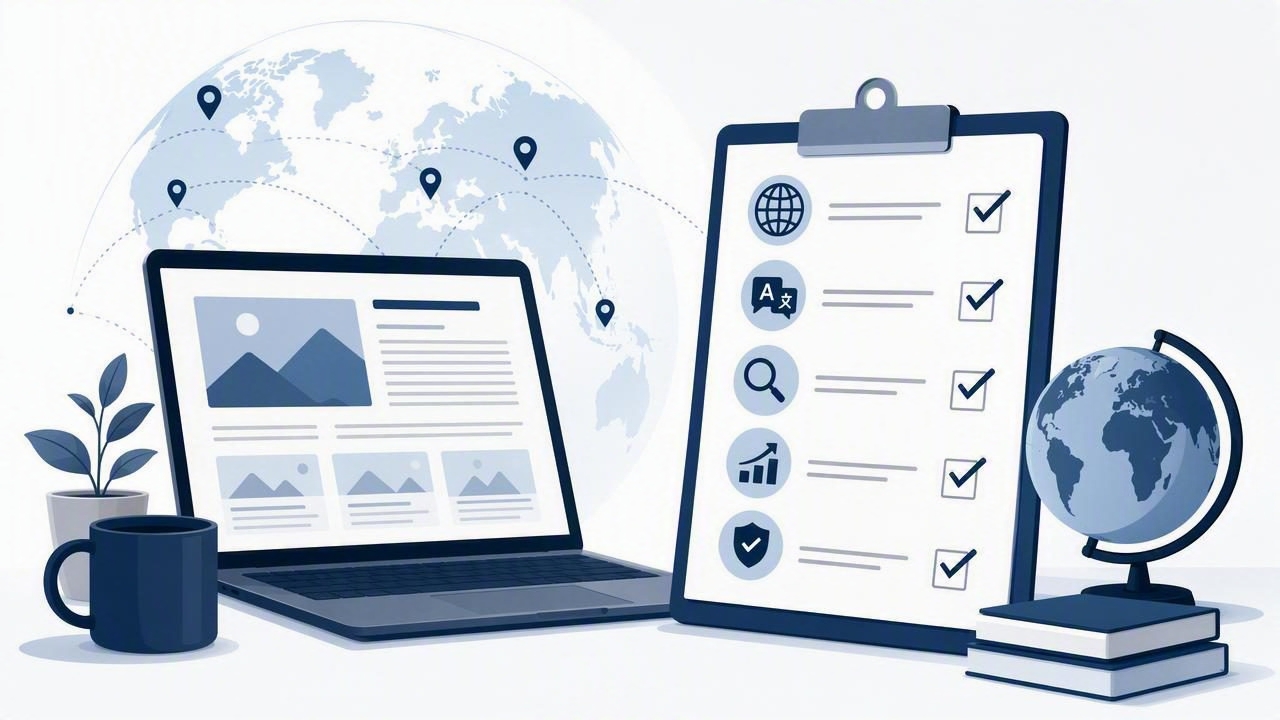
WordPress remains a familiar option for publishing, but it is not the only way to build a successful content program. For many businesses, managing themes, plugins, security updates, hosting, backups, and translation workflows takes time away from the work that actually drives growth: creating useful content and reaching the right audience.
If your goal is to run a blog without WordPress checklist with multilingual blogging platform capabilities, the right approach is to evaluate more than the writing editor. You need a system that supports search visibility, reliable publishing, language expansion, performance, and a sustainable editorial process.
This checklist explains what to look for before moving to a hosted or automated blogging solution. Use it whether you are launching a new blog, replacing a high-maintenance WordPress site, or expanding an existing content strategy into new markets.
Why Businesses Run Blogs Without WordPress
WordPress can be flexible, but flexibility often comes with operational responsibility. A typical self-hosted setup may require a domain connection, web hosting, theme selection, plugin management, performance tuning, spam prevention, security monitoring, and regular backups. Adding multilingual content can introduce even more moving parts, including translation plugins, URL configurations, language switchers, and localized metadata.
A hosted blogging platform reduces that technical overhead by bundling infrastructure and publishing tools into one environment. This is especially useful for lean marketing teams, founders, consultants, and international businesses that need consistent output without maintaining a website stack.
| Area | Typical WordPress Responsibility | Hosted Platform Approach |
|---|---|---|
| Hosting | Choose, configure, and monitor a provider | Infrastructure is managed for you |
| Updates | Maintain core software, themes, and plugins | Platform updates happen centrally |
| Security | Install protections and monitor vulnerabilities | Security is part of the managed service |
| Publishing | Build and maintain editorial workflows | Scheduling and automation may be built in |
| Multilingual SEO | Configure plugins and language rules | Language publishing can be native to the platform |
The key question is not whether WordPress is good or bad. It is whether your team wants to operate a publishing system or focus on building a content asset that earns traffic and trust.
1. Confirm Ownership of Your Domain and Content
Before choosing any platform, make sure you retain control of the assets that matter. Your blog should use a domain or subdomain you own, such as blog.example.com or example.com/resources. A platform should make it straightforward to connect a custom domain and keep it active if you later change providers.
- Verify that you can connect a custom domain.
- Ask whether SSL certificates are included and renewed automatically.
- Confirm that you can export posts, media, and metadata.
- Check how redirects are handled if URLs change.
- Review who owns AI-generated and manually edited content.
Content portability matters because a blog becomes more valuable over time. The articles, rankings, backlinks, and internal links you build should remain business assets rather than being trapped in a closed system.
2. Check the Essential SEO Foundation
A blog without WordPress still needs the same technical SEO fundamentals as any other website. Search engines need to crawl pages efficiently, understand page topics, and discover relationships among articles. The platform should handle the basics without requiring you to install multiple add-ons.
Core SEO requirements
- Editable SEO titles and meta descriptions.
- Clean, readable, stable URL structures.
- Automatic XML sitemaps.
- Canonical tags to prevent duplicate-content confusion.
- Mobile-responsive page templates.
- Fast loading performance and optimized image delivery.
- Structured heading hierarchy, including one clear H1 per article.
- Support for internal links and category or topic pages.
Also check whether the platform supports analytics and search measurement. At a minimum, you should be able to connect Google Search Console and an analytics tool. These sources reveal which pages earn impressions, which queries drive clicks, and where new content opportunities exist.
Practical rule: SEO automation should reduce repetitive setup, not remove editorial accountability. Review titles, topical relevance, and factual accuracy before content goes live.
3. Evaluate Automated Keyword Research Carefully
Publishing frequently only helps when content targets real search demand and serves a clear audience. A strong blogging automation platform should support keyword research that goes beyond broad, high-volume phrases. Look for systems that identify specific questions, commercial problems, comparison terms, and long-tail topics relevant to your business.
For example, a software company offering payroll tools may find more qualified opportunities in terms such as “how to automate contractor payments in Spain” than in a generic phrase like “payroll software.” The narrower topic may have less volume, but it can match a more urgent search intent.
Use this keyword evaluation framework:
- Relevance: Does the topic connect naturally to your expertise, product, or service?
- Intent: Is the searcher learning, comparing options, or preparing to act?
- Difficulty: Can your site realistically compete with the current results?
- Business value: Could the article attract the audience you want to serve?
- Cluster fit: Can the topic link to a larger group of related articles?
Automated keyword research is most useful when it produces an organized content roadmap rather than an unfiltered list of phrases. Prioritize topical clusters so every new post strengthens the relevance of related pages.
4. Test the Multilingual Blogging Workflow
Multilingual blogging is more than translating an English article word for word. Search behavior, terminology, cultural references, local regulations, and buying language vary by market. A multilingual blogging platform should make it easy to publish in multiple languages while preserving a consistent technical SEO structure.
Multilingual platform checklist
- Support for the languages and locales your audience uses.
- Dedicated URLs for each language version.
- Correct
hreflangimplementation to signal language targeting. - Localized page titles, meta descriptions, headings, and image alt text.
- A language switcher that is clear for visitors and crawlers.
- Ability to review, edit, and approve translations before publication.
- Consistent internal linking within each language section.
- Workflows for updating translated content when the original changes.
A sensible URL structure might look like this:
example.com/en/blog/remote-team-onboarding
example.com/es/blog/incorporacion-equipos-remotos
example.com/fr/blog/integration-equipes-distance
Do not assume every article must be translated into every language. Start with the topics that have clear international relevance and validate performance by market. Then expand using search data, customer questions, and conversion results.
5. Review Content Quality Controls
AI-powered blogging can make consistent publishing more achievable, but quality controls remain essential. The best workflow combines automation for research, outlining, drafting, formatting, and scheduling with human judgment for brand voice and accuracy.
Ask how the platform handles the following:
- Fact checking and citation review for claims that may change.
- Duplicate-content safeguards across posts and languages.
- Brand voice guidelines and prohibited topics.
- Editorial approval before daily automatic publishing.
- Updates to outdated articles.
- Original examples, expert commentary, and useful next steps.
Search engines reward content that helps people accomplish a task or understand a subject. A generic article that repeats what competitors say is unlikely to create durable results. Add unique perspectives from customer conversations, industry experience, internal data, or practical processes whenever possible.
6. Make Daily Publishing Sustainable
Daily automatic publishing can help build content coverage, but only if each post has a defined role. Rather than publishing disconnected articles, create a content calendar that balances pillar pages, supporting articles, comparison content, FAQs, and localized resources.
| Content Type | Primary Purpose | Example |
|---|---|---|
| Pillar page | Cover a broad core topic | Complete guide to remote onboarding |
| Supporting article | Answer a specific search question | Remote onboarding checklist for managers |
| Comparison page | Help evaluators assess options | Manual vs automated onboarding workflows |
| Localized guide | Serve a regional audience | Remote onboarding requirements in Germany |
Set a realistic publishing pace. Three well-targeted posts per week can outperform seven poorly researched posts. The right frequency depends on your resources, competitive landscape, and ability to maintain quality. Automation should help you scale intentionally, not encourage publishing for its own sake.
7. Plan Migration and Redirects Before Launch
If you already have a WordPress blog, migration planning protects the search equity you have earned. Create a complete inventory of existing URLs, traffic levels, backlinks, metadata, and language versions. Then map every important old URL to the closest relevant new page with a permanent 301 redirect.
- Crawl and export your current site URLs.
- Identify high-traffic, high-ranking, and high-backlink pages.
- Match old URLs to new URLs one by one.
- Implement 301 redirects before or at launch.
- Submit the new sitemap in Google Search Console.
- Monitor crawl errors, rankings, and traffic after migration.
Avoid redirecting every old post to the homepage. This creates a poor user experience and may cause search engines to ignore the redirect. Preserve topical relevance whenever possible.
8. Use Reporting to Improve the System
A hands-free blogging solution still needs regular review. Schedule a monthly performance check covering organic clicks, impressions, rankings, engagement, conversions, indexed pages, and language-level performance. Look for pages with high impressions but low click-through rates; improving their titles and descriptions may produce quick gains.
Also identify articles ranking on the second page of search results. Adding clearer answers, better internal links, updated examples, and relevant subtopics can help these pages become more competitive.
Final Checklist for a WordPress-Free Blog
- Own your domain, content, and exports.
- Confirm technical SEO features are built in.
- Use keyword research to build topic clusters.
- Choose native multilingual tools with proper hreflang support.
- Keep human editorial review in the workflow.
- Use automation to support a consistent publishing schedule.
- Protect rankings with careful redirects during migration.
- Measure results and improve content continuously.
When evaluating options, focus on the operational burden each platform removes and the strategic capabilities it adds. A managed platform such as the24blog can be worth considering for teams that want AI-powered content creation, multilingual publishing, and SEO-focused automation without the ongoing maintenance of a traditional WordPress setup.